
Six months later
You come back to a project and can’t remember why the watcher has a delay or why SQLite was chosen. The summary is there, with context, alternatives and risks.
open source · local-first · MCP
SaveMe is a technical project journal in markdown. When you finish a change you ask your AI agent to save a summary; SaveMe asks you where and leaves it as a .md file on your disk.
Free and open source. No account, no cloud.
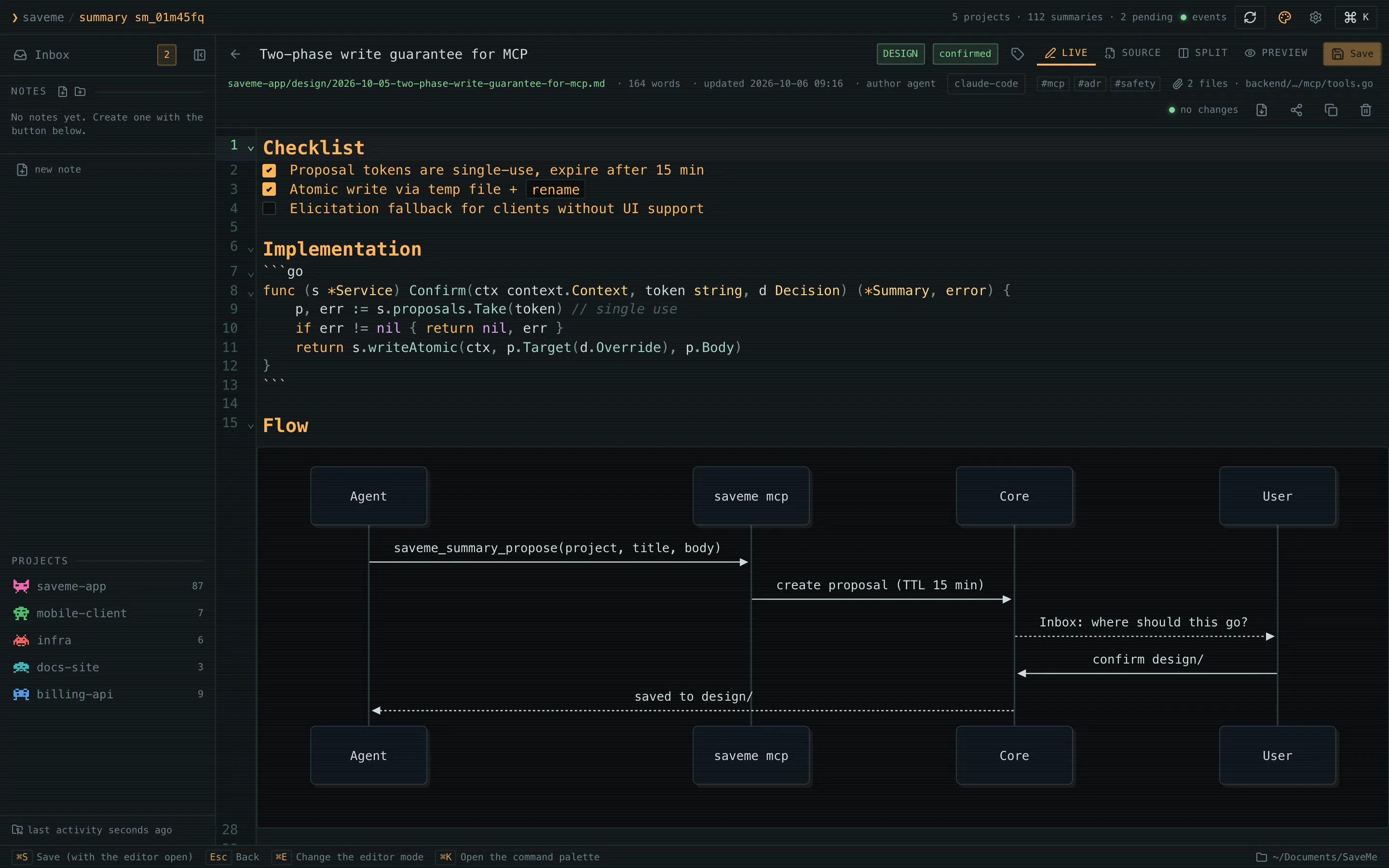
Code tells you what it does. Git history tells you what changed. Neither tells you why it was decided that way, what was ruled out or what was left pending, and the chat with the agent where it was discussed dies with the session.
You come back to a project and can’t remember why the watcher has a delay or why SQLite was chosen. The summary is there, with context, alternatives and risks.
Human sentences per feature, fix and decision, grouped by project and category. You get release notes someone can actually read.
You don’t draft anything: the agent you already use knows the change and writes the summary. You only decide where it goes.
When you finish a change: “save a summary in SaveMe”. The agent talks to SaveMe over MCP.
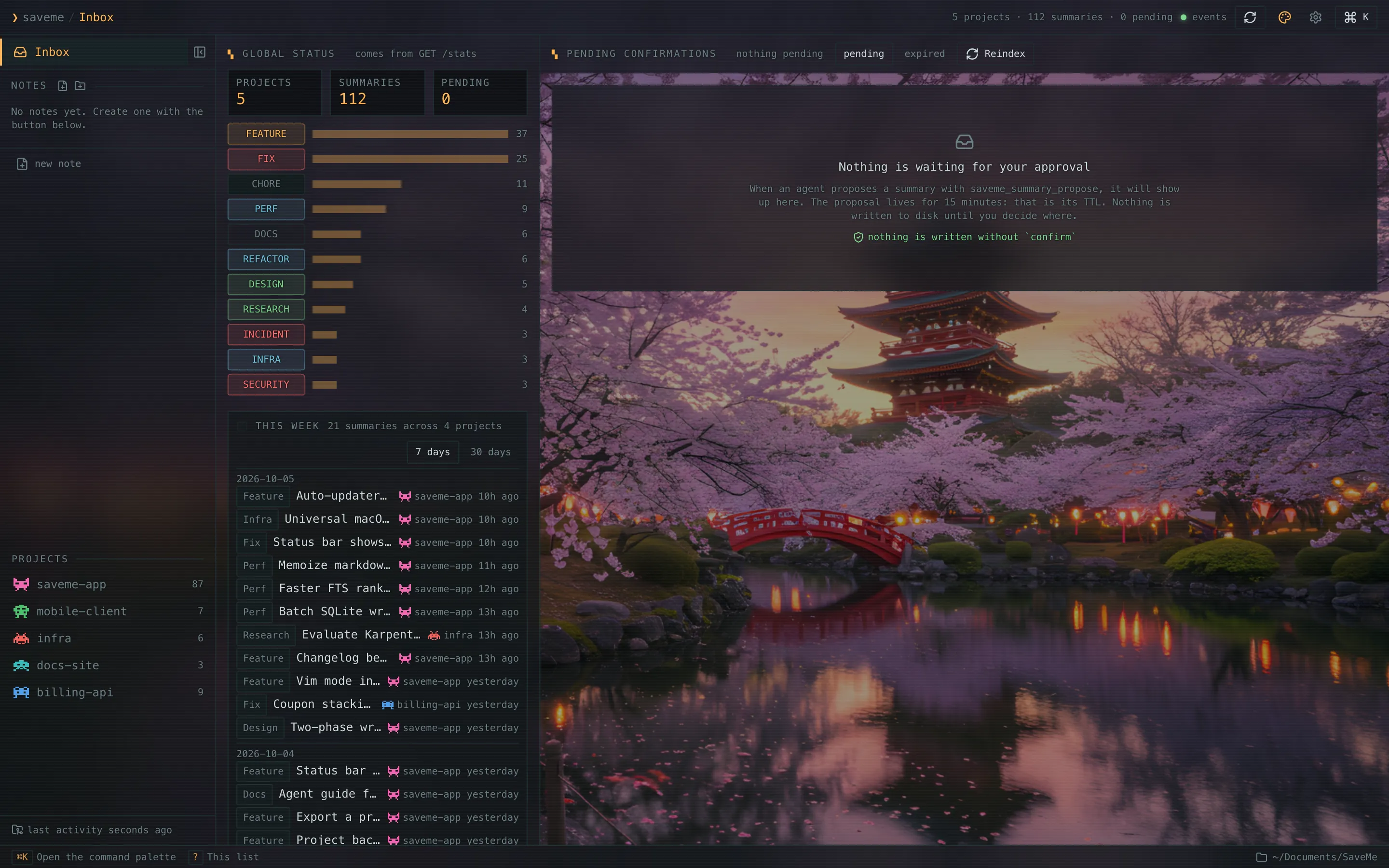
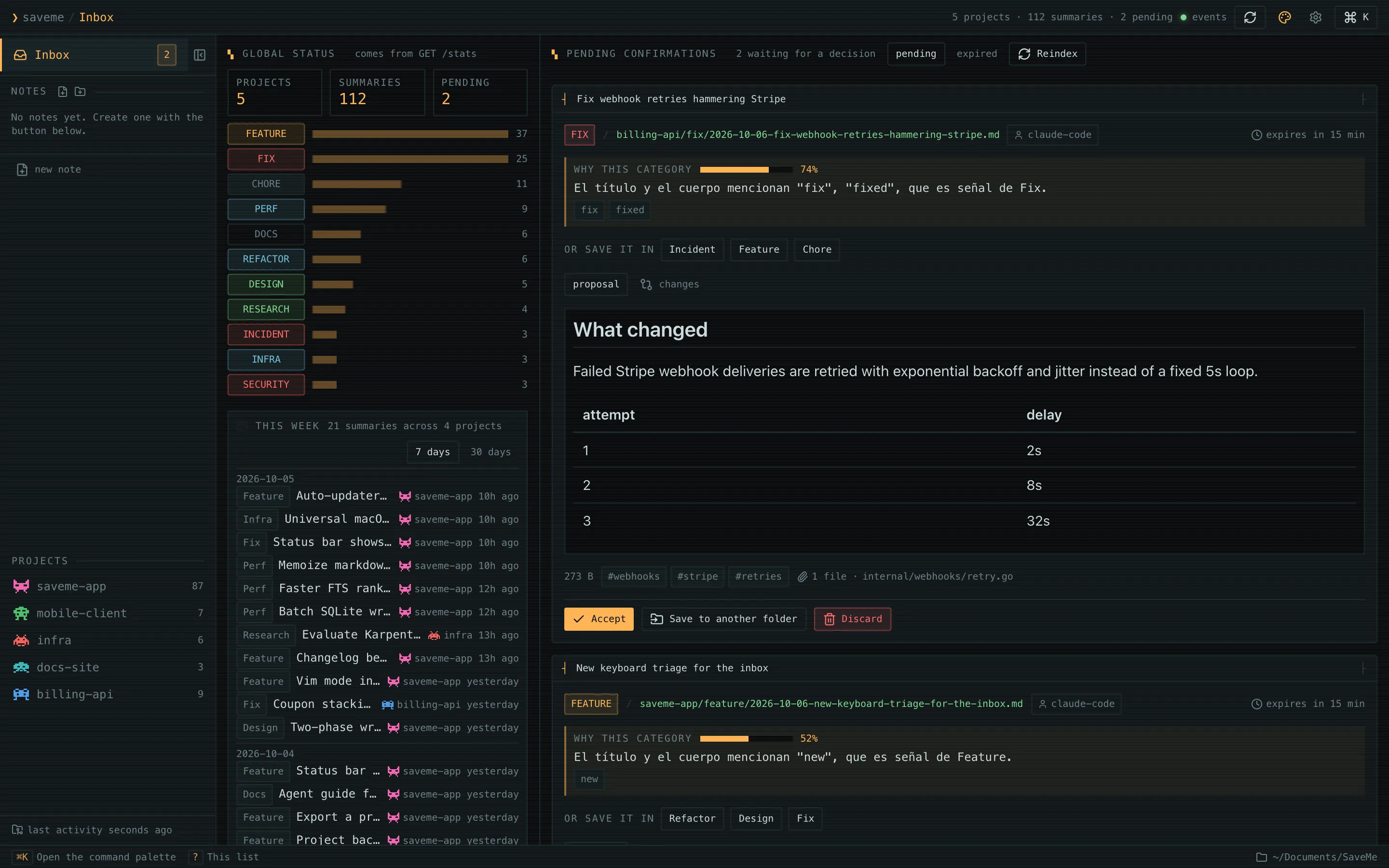
The agent proposes a project and a category. Nothing is written until you accept or pick another place, in the chat or in the app’s Inbox.
The summary lands in ~/Documents/SaveMe/<project>/<category>/. Read it with any editor and version it with git.
Every summary is a plain markdown file. The file is the source of truth; the app is a comfortable way to read it. No account, no cloud, no lock-in.
Proposing doesn’t touch the disk. Only a confirmation with a single-use token writes, and it records whether a person or the agent approved it.
The MCP server is the same binary and talks straight to the files. When you open the app, the new summaries are already there.
Claude Code, Cursor, Codex, Copilot, Gemini CLI, OpenCode and more. The first-launch wizard detects them and configures them for you, with a backup.
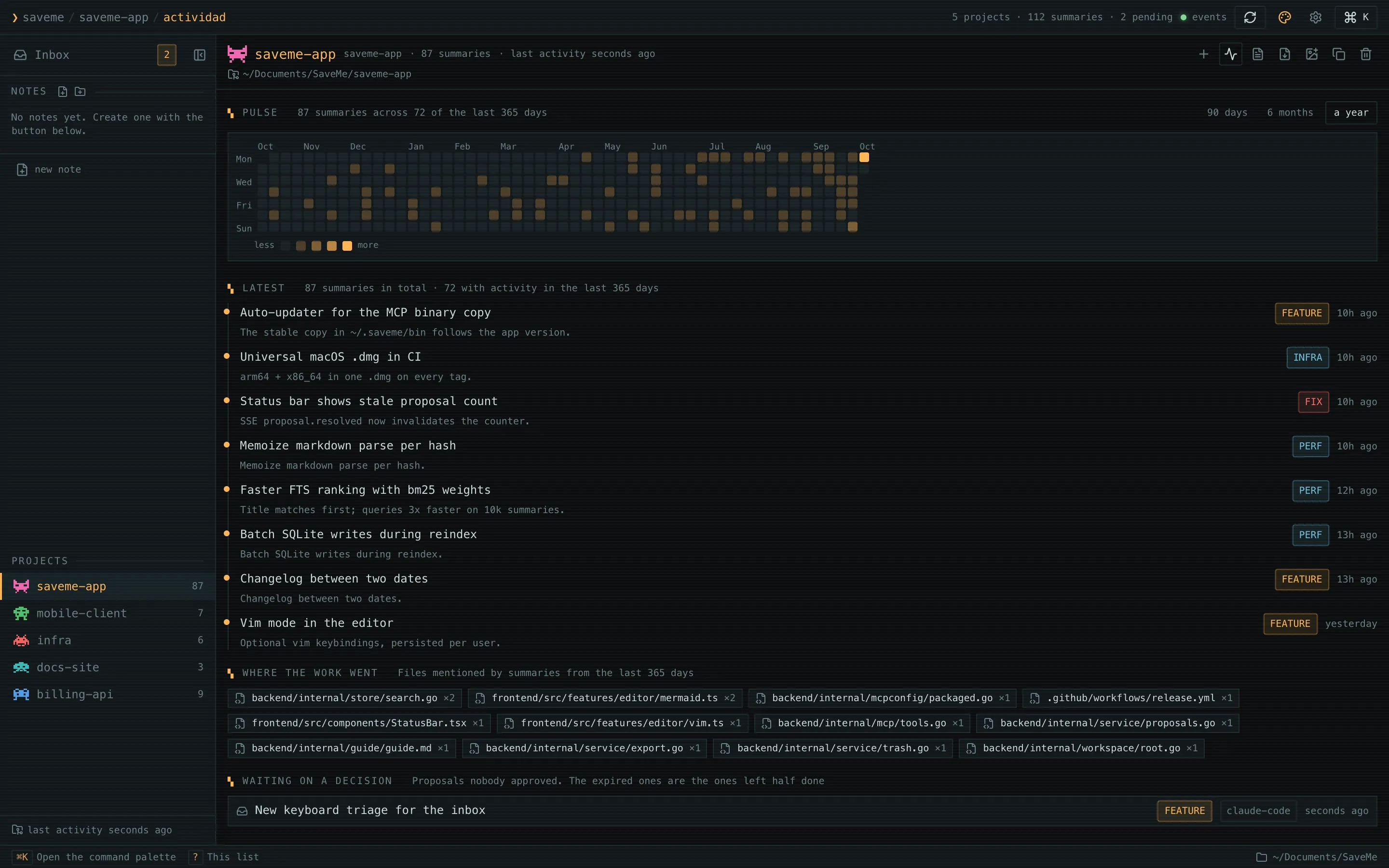
Each project’s pulse: the latest activity, the files touched, what is pending and a year-long activity map.
Pick a date range and get a markdown changelog grouped by category. From the terminal too: saveme changelog.
Obsidian-style live preview, Mermaid diagrams, tickable checkboxes, optional vim mode and full-text search.
Save a summary as clean markdown, share it on Slack, X or LinkedIn, or export a whole project as a single document.
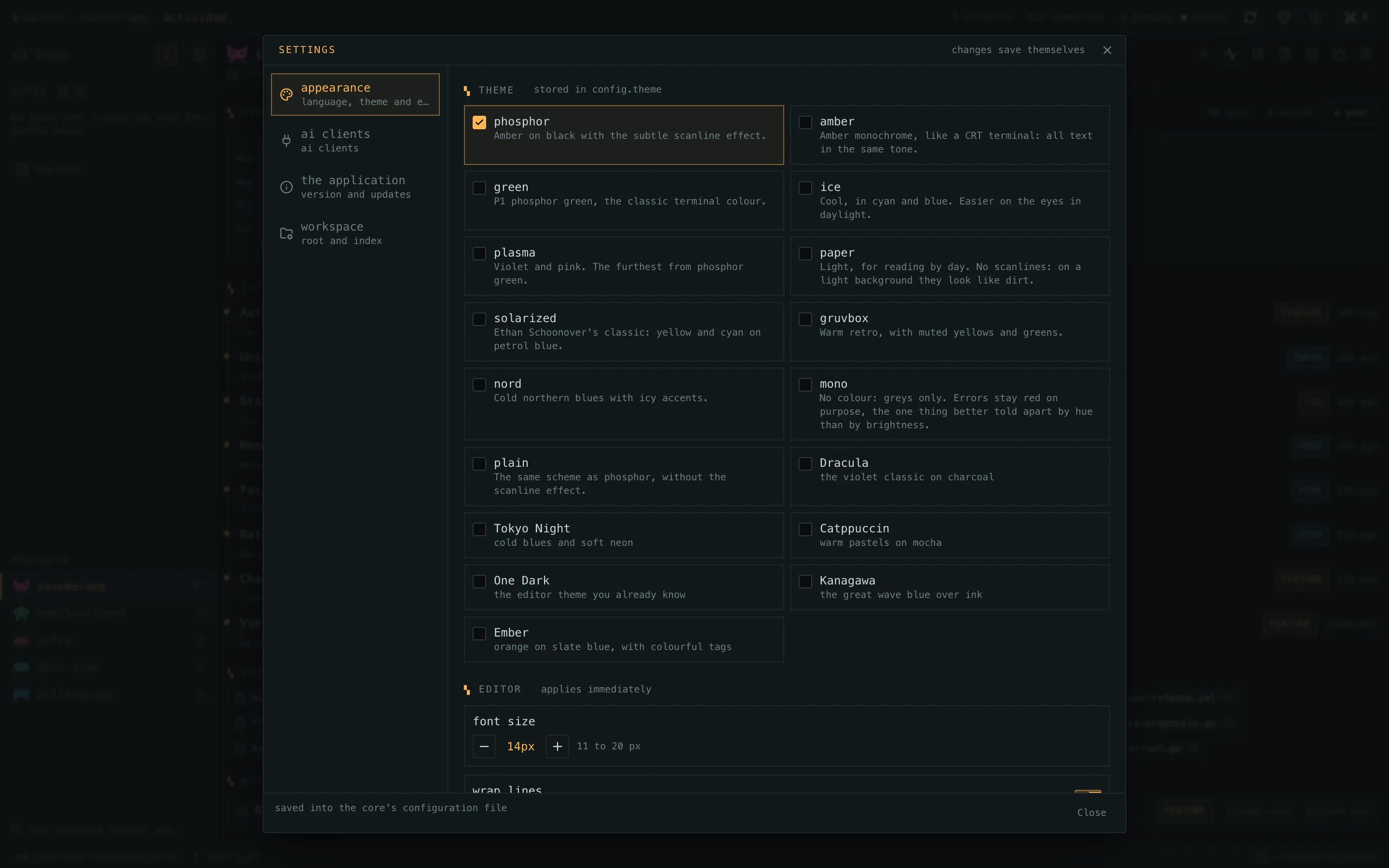
17 themes with checked contrast, background images, pixel project icons, English and Spanish. It updates itself with signed packages.
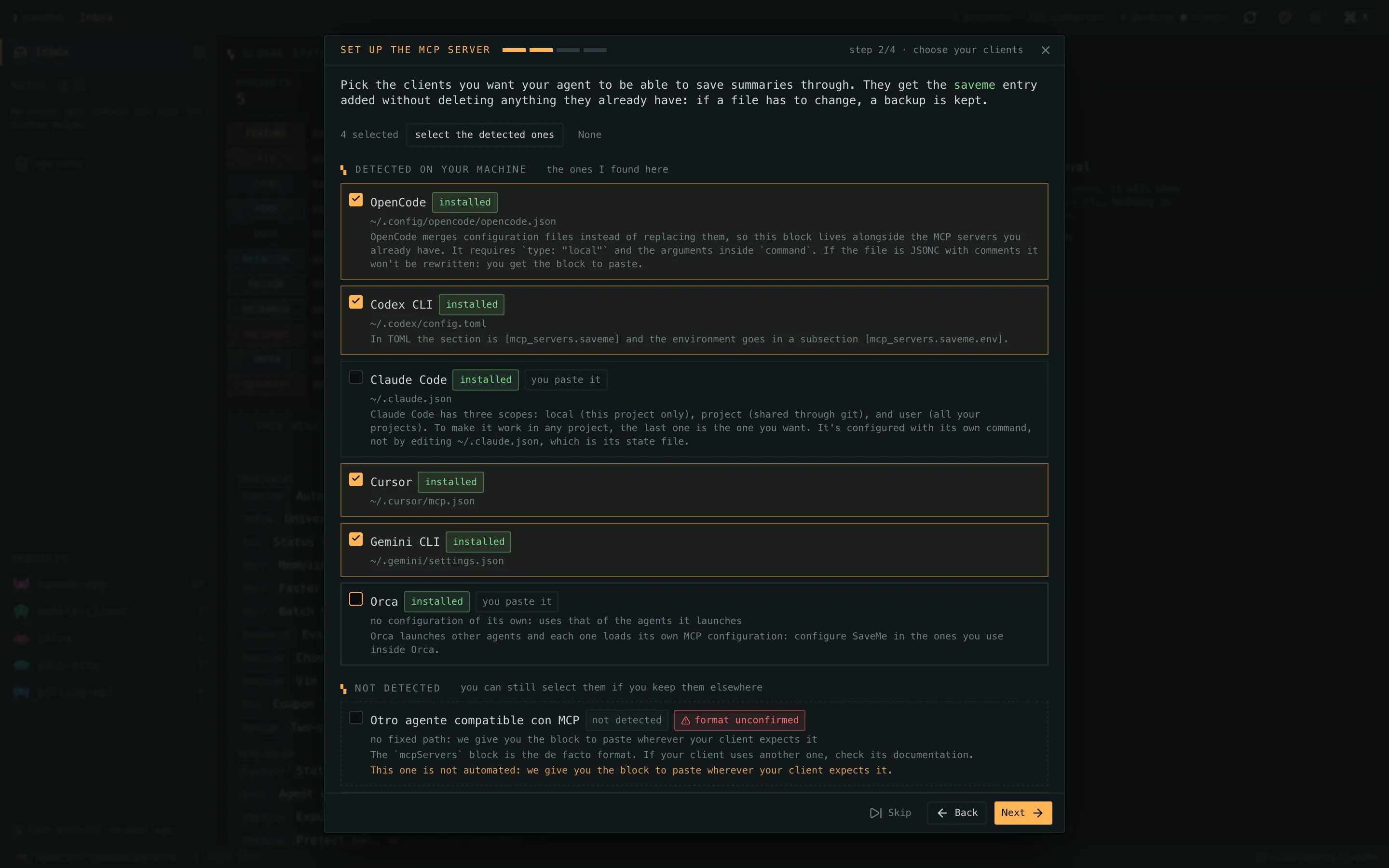
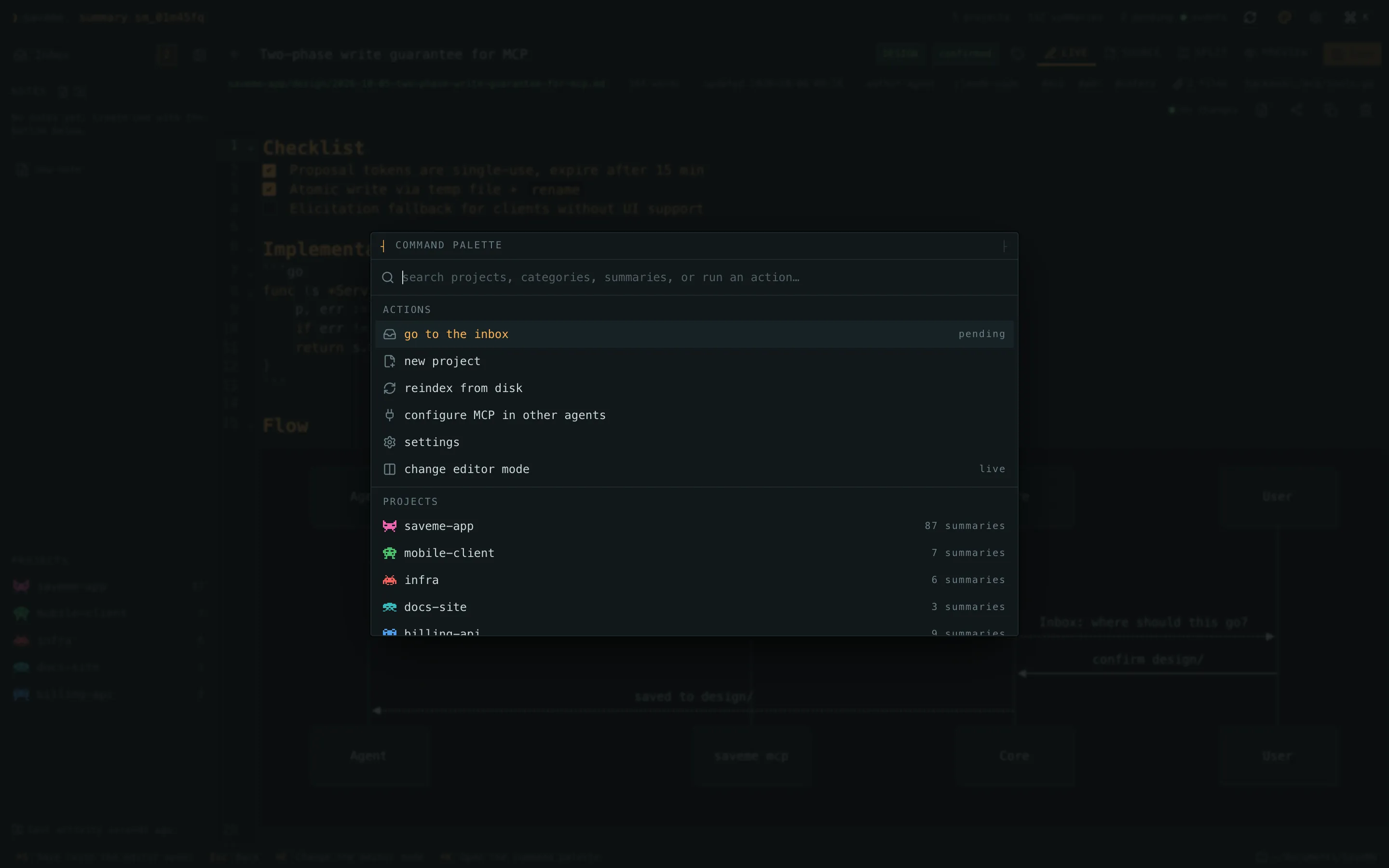
SaveMe exposes an MCP server. The app and the CLI know how to configure these clients, and any other one through the custom client mode.
Links always point to the latest version published on GitHub. After that, the app updates itself.
macOS 10.15 or later · universal (Apple Silicon and Intel)
How to install on macOSWindows 10 and 11 · x64
How to install on Windowsx64 · .deb for Debian/Ubuntu, AppImage for the rest
How to install on LinuxVersion: v0.3.1See all releases
SaveMe is open source and isn’t signed with a paid Apple or Microsoft certificate. That is why your system warns you the first time and asks you to confirm. It’s expected: here is every step.
One for every Mac: Apple Silicon and Intel.
Open the .dmg and drag SaveMe into the Applications folder.
The first time, macOS says it can’t verify the developer and won’t open it. Close that dialog (don’t move it to the Trash), go to System Settings → Privacy & Security, scroll down to the Security section, click Open Anyway next to the message about SaveMe being blocked and confirm with your password. You only do this once.
It explains what it is going to do, shows which agents you have installed and configures the MCP server in the ones you pick. Restart your agent afterwards.
~/Documents/SaveMe. If you denied it: System Settings → Privacy & Security → Files and Folders → SaveMe → Documents. You can pick another folder in the app’s settings.It isn’t damaged: that is how macOS flags unsigned downloaded apps. Remove the quarantine flag and open it again:
xattr -dr com.apple.quarantine /Applications/SaveMe.appThe button only shows for about an hour after the attempt. Open SaveMe again from Applications and go back to Privacy & Security. On macOS 14 or earlier, right-click → Open also works.
The -setup.exe is the recommended one. The .msi is for company-managed installs.
If the browser says the file isn’t commonly downloaded, choose Keep (in Edge: … → Keep → Keep anyway).
“Windows protected your PC” shows up because the installer isn’t signed. Click More info and then Run anyway.
The installer downloads WebView2 if it is missing (Windows 11 already has it). When SaveMe opens, the wizard configures your agents.
.msi asks for administrator permission to install into Program Files. Accept with Yes.It sometimes happens with new unsigned binaries. The code is on GitHub and the installers are built on GitHub Actions; you can restore it from Windows Security → Virus & threat protection → Protection history.
Install the .deb with apt, which resolves the dependencies:
sudo apt install ./SaveMe_*_amd64.debMake the AppImage executable and open it:
chmod +x SaveMe_*_amd64.AppImage./SaveMe_*_amd64.AppImageIt detects your agents and configures the MCP server in the ones you pick.
~/Documents/SaveMe and its own config, and only touches your agents’ config files when you ask it to, keeping a backup. Its internal service listens on 127.0.0.1 only.Recent distributions don’t ship FUSE 2. On Ubuntu 24.04:
sudo apt install libfuse2t64The wizard does it for you, but if you prefer the command line, the saveme binary diagnoses and configures any client:
saveme doctorsaveme mcp-config --listsaveme mcp-config --provider claude-code --writeRead it, build it yourself, open an issue or send a pull request. The installers are built on GitHub Actions from each tag, so what you download comes from that code.
github.com/ismaelosuna7824/savemeGo · Tauri v2 · React · SQLite
git clone https://github.com/ismaelosuna7824/savemecd savememake setupmake dev